Trip.com Flight Booking: Step-by-Step Guide to Changing Your Ticket

By Trip.com
May 19, 2026

My blog includes everything you need to know about Trip.com flight booking, including tips on booking cheap flights, how to get and print your e-tickets, and a breakdown of our flight refund policies.


How to Book Cheap Flights on Trip.com
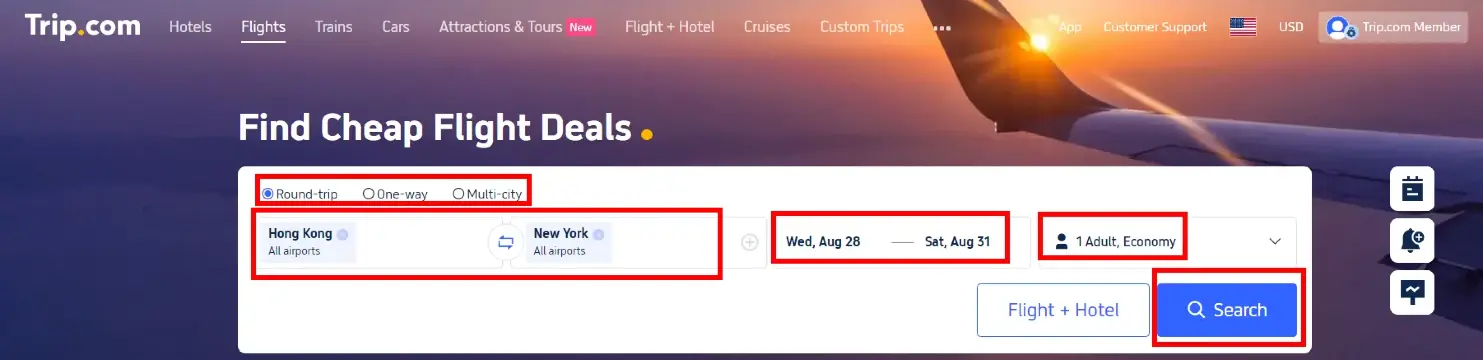
To get your flight ticket on Trip.com, you first need to book a flight on Trip.com~ Check out below how to book the best flight at the best price.
- Head to the website or app: Start by visiting the Trip.com flight website or the Trip.com mobile app.
- Search for flights: enter your departure and destination cities, travel dates, whether it's a one-way or round-trip, your preferred class (Business or Economy), and the number of passengers. Click "Search" to see all the available options.
- Select your flight: choose a flight that fits your schedule and budget. Use the filters to check prices, duration, and airline preferences.
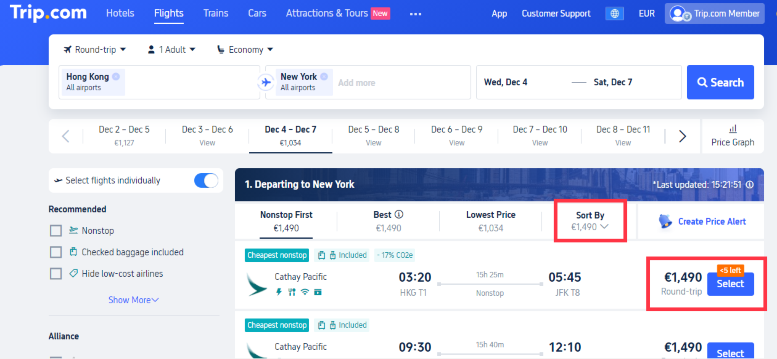
- Enter passenger details: please provide the required information for all passengers. Make sure the names match those on their IDs or passports.
- Payment: Review your selected flight details and proceed to payment. Choose your preferred payment method and complete your purchase.
How to Get an Electronic Flight Ticket on Trip.com
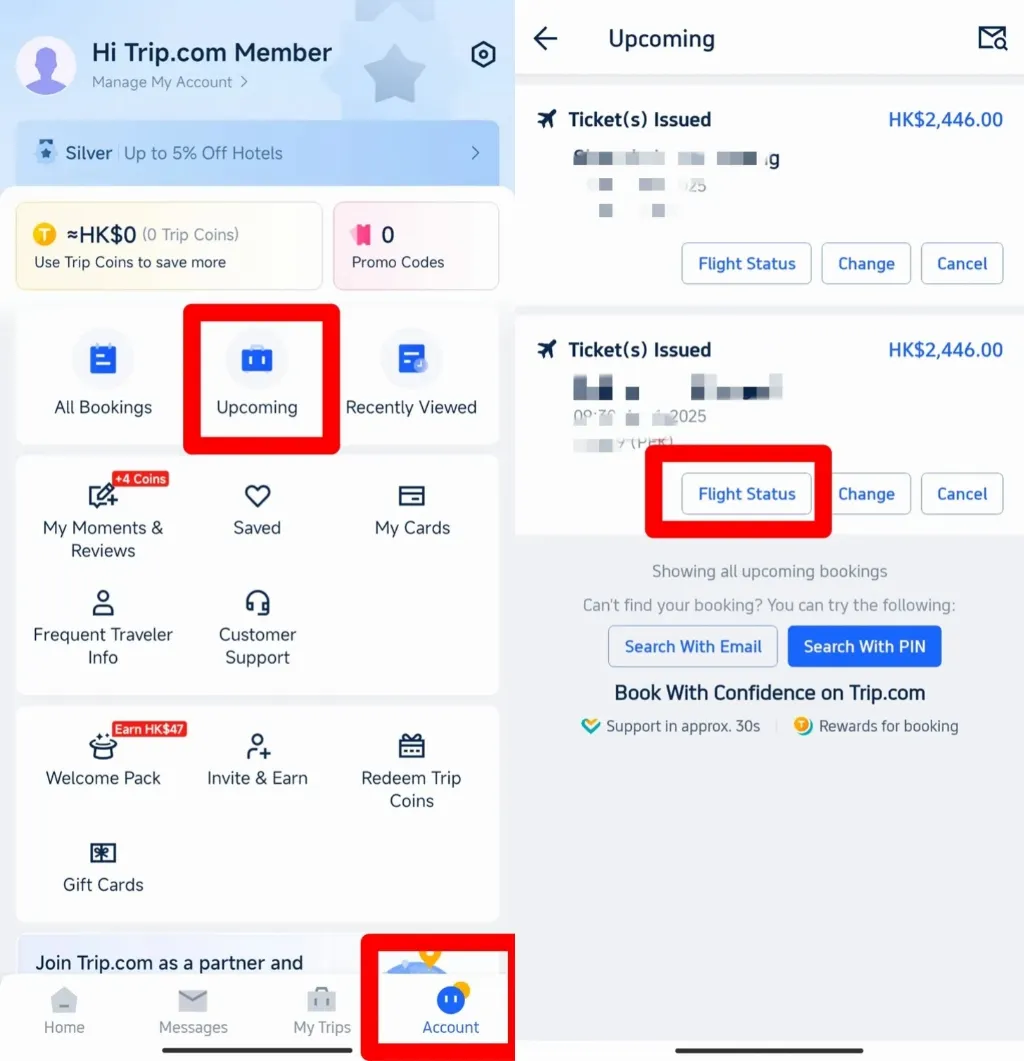
Step 1: Look for "Manage Booking"
- Open the app: Start by opening the Trip.com app on your phone.
- Head to "Account": tap the "Account" tab at the bottom of your screen.
- Look for "Coming soon": on the "Account" page, scroll down to the middle, where it says "Upcoming trips".
- Tap "Flight Status": On the Trip.com flight booking page, you'll see the "Flight Status" button. Tap it to access your booking details.
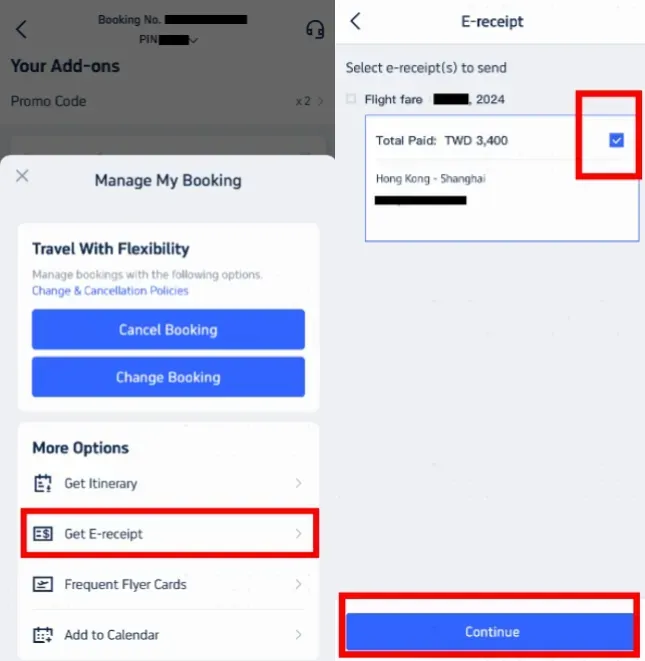
- Look for Manage Booking: On the Flight Status page, you can see "Manage Booking" at the bottom. Tap here.
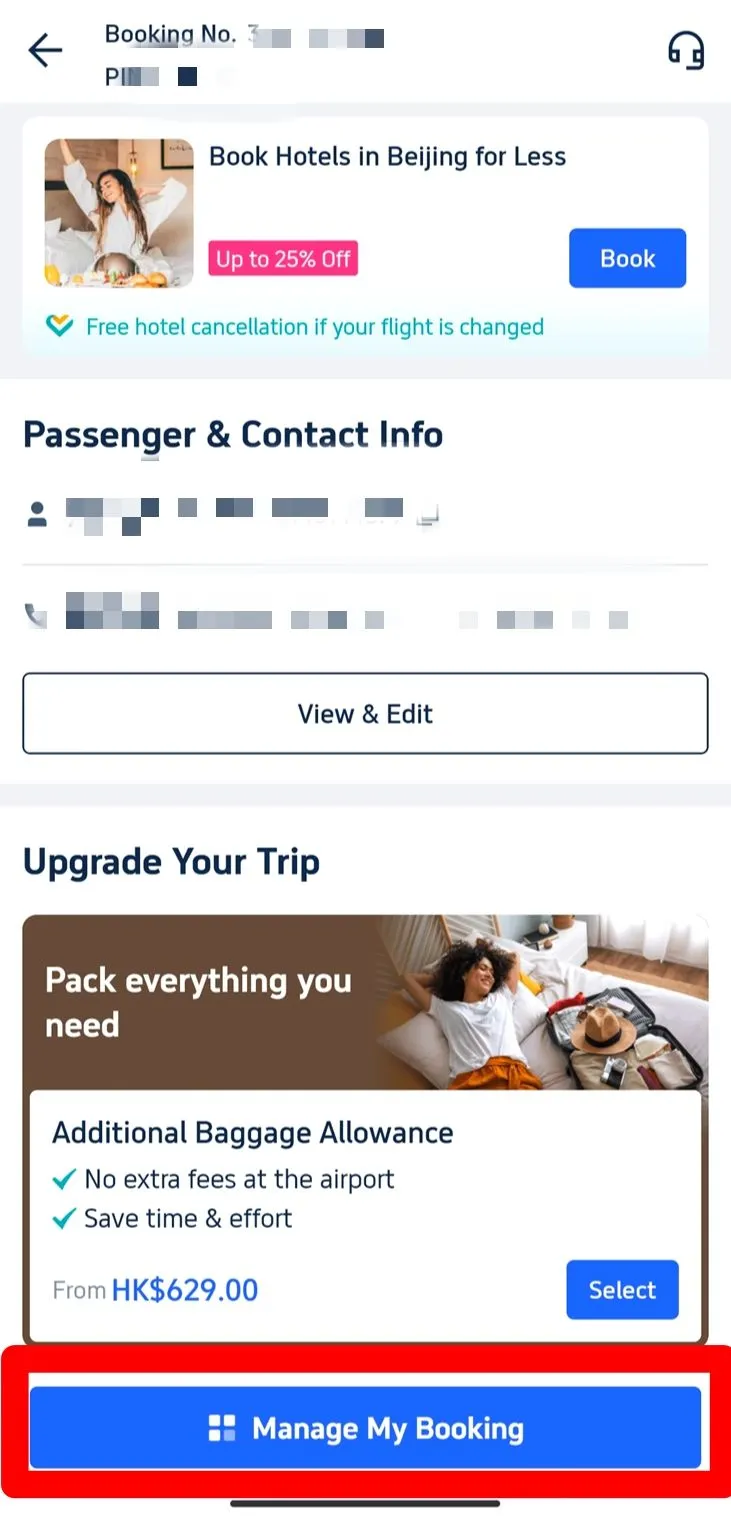
Step 2: Select Electronic Receipts
- Look for the "Get a receipt" button: In the "More options" section, find the "Get a receipt" button and click on it.
- Choose your e-tickets: on the receipts page, you'll see a list of your Trip.com flight bookings. Select the e-tickets you need.
- Click "Continue": after selecting the relevant e-tickets, click the "Continue" button to move forward.
Step 3: Enter your receipt details
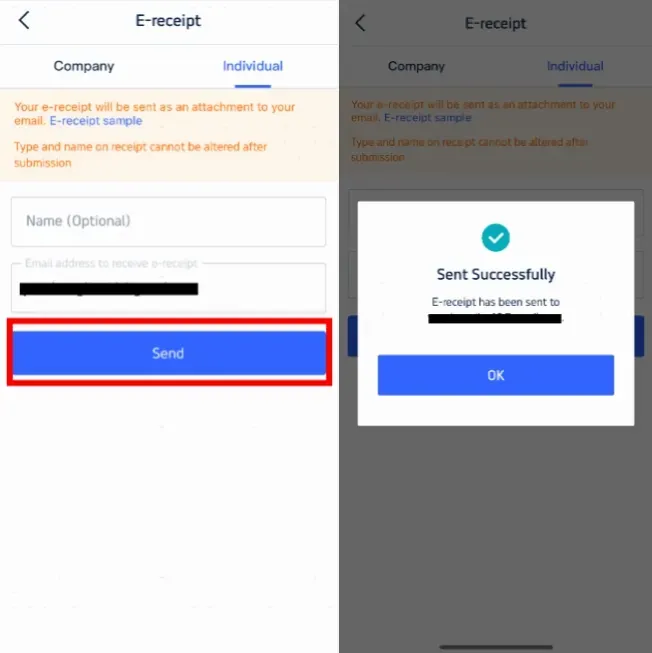
- Select the receipt type: if you're retrieving your e-ticket for personal use, choose "Individual".
- Enter your details: provide your name (optional) and the email address where you'd like your electronic receipt sent.
- Important: The receipt type and the name displayed on it cannot be changed after submission.
- Click "Submit": Once you have entered all the details, click the "Submit" button.
- Confirmation message: You'll receive a message confirming that your electronic receipt has been sent successfully.
- Check your email: Click "OK" and then check your inbox to see if your electronic receipt has arrived. This will be your official e-ticket for the flight.
How to Print Your Flight E-ticket on Trip.com
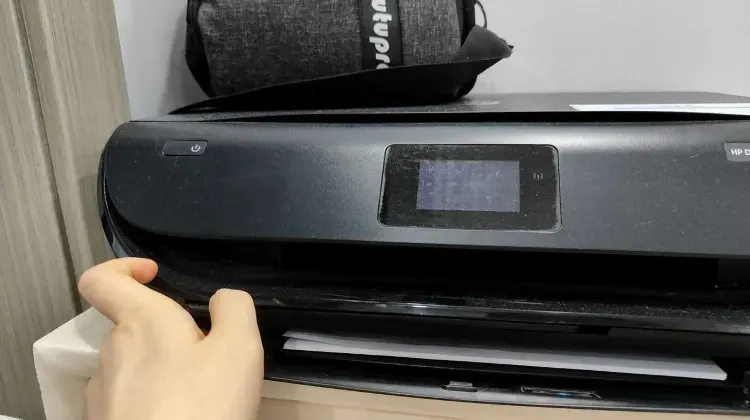
- Why print it out?: For international flights, it's a good idea to carry a printed copy of your e-ticket to show at various checkpoints, but for domestic flights, a digital copy is usually all you need.
- Steps to print:
- Open the Trip.com flight booking email containing your e-ticket (check the previous step).
- Download the attached file containing your e-ticket to your device.
- Open the file on your device and print it out.
Check-in and Using Your Flight Ticket
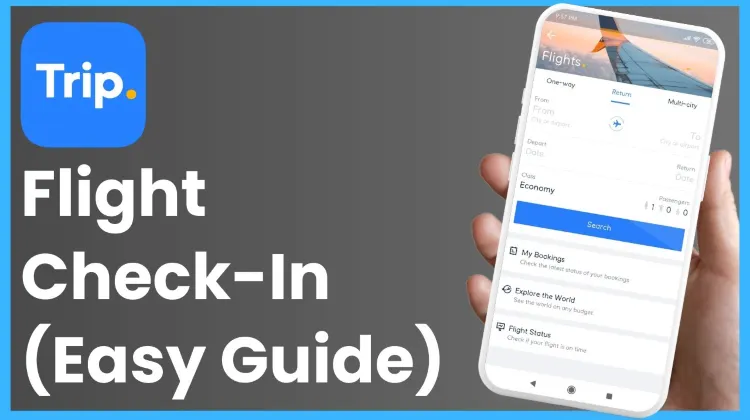
- Online check-in: Use your PNR or booking reference number to check in online via the airline's mobile app or website. This is usually where you can select your seats and download your boarding pass.
- Airport check-in: Simply present your e-ticket (either digital or printed) along with your ID or passport at the check-in counter or at the airport's self-service kiosks. You'll receive a physical boarding pass if needed.
- Boarding: At the boarding gate, simply show your boarding pass and ID to head onto the plane. Be sure to keep your e-ticket or printed copy handy, just in case you're asked for it again.
Trip.com Flight Cancellation and Refund Policies
Trip.com's cancellation policies vary depending on the airline and ticket type. Refunds are subject to the fare rules associated with your ticket. Please keep in mind that some tickets may be non-refundable, while others might incur a cancellation fee.
- Steps to cancel a Trip.com flight booking
- Head over to "My Bookings" on the Trip.com app or website.
- Find the flight booking you'd like to cancel under "Manage Booking."
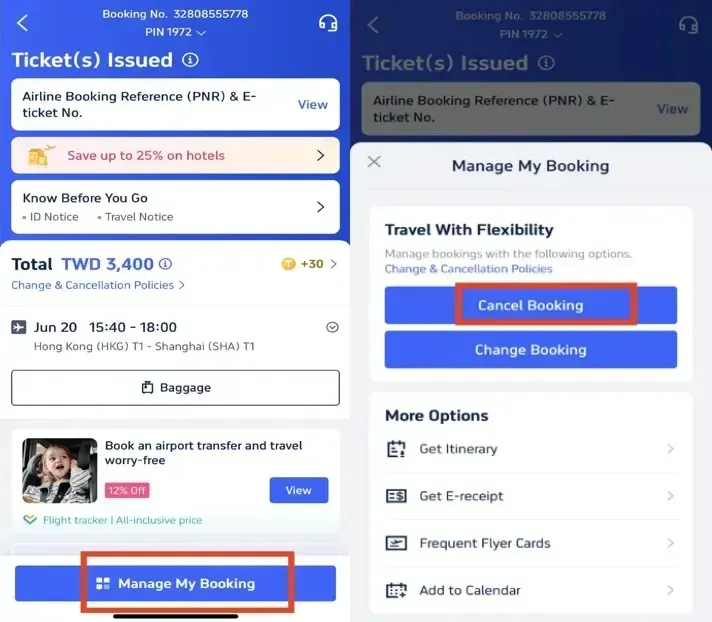
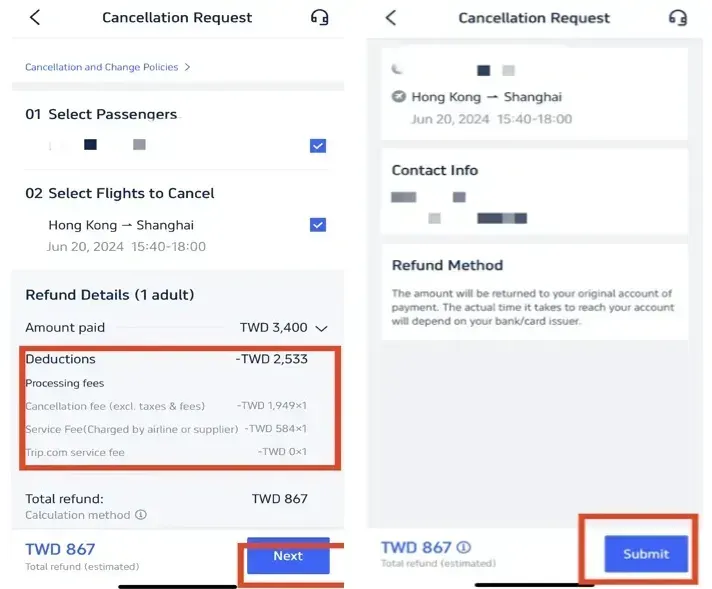
- Click "Cancel Booking" and follow the prompts to review your refund details and any applicable charges.
- Confirm and submit your cancellation request. Refunds are processed according to the airline's policy and may take some time to appear in your account.
 2482 booked






Trip.com Flight Bookings and Benefits of the Trip.com Affiliate Program
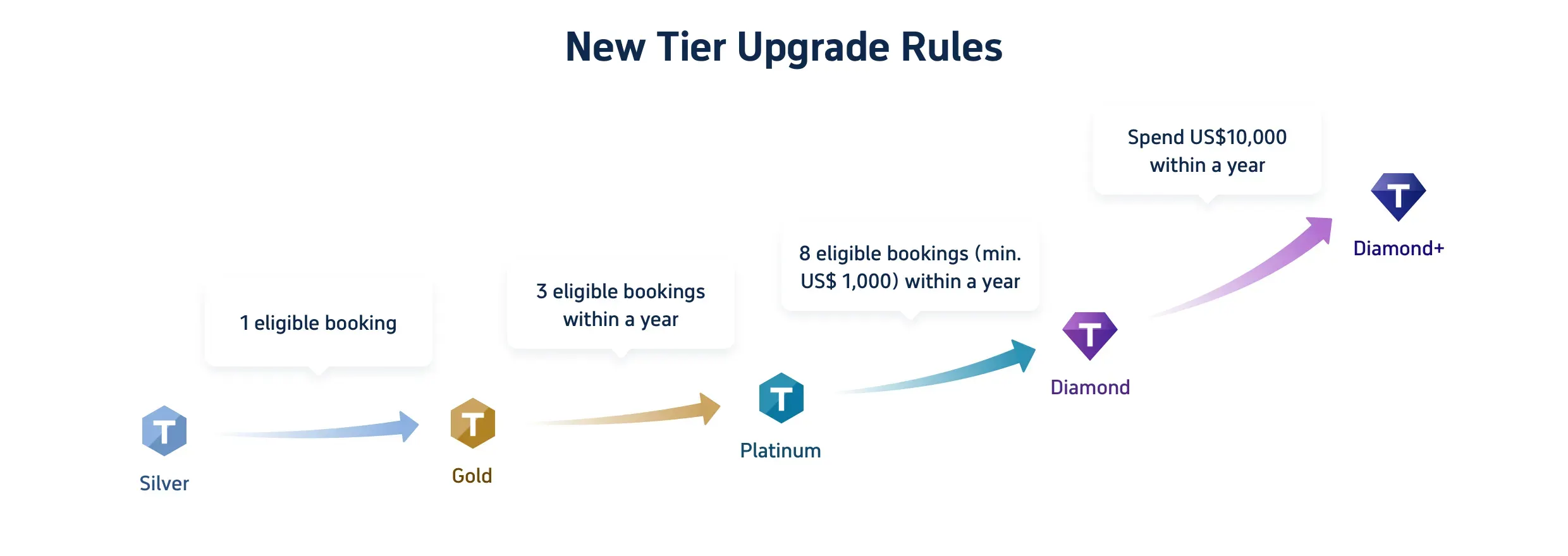
Trip.com flight booking doesn't just give you access to great flight deals; it also opens the door to a world of rewards through the Trip.com membership program. As you earn Trip Coins with every booking, you'll unlock exclusive perks as you level up through our membership tiers, from Silver to Diamond+. Here’s a closer look at what each tier has to offer:
Benefits & Trip Coins for 5 Member Tiers
Tier | Silver | Gold | Platinum | Diamond | Diamond+ |
Hotel Deals | exclusive hotel deals | exclusive hotel deals | exclusive hotel deals | exclusive hotel deals | exclusive hotel deals |
Additional Trip Coins Earned | Standard earning rate | Earn 10% more Trip Coins | Earn 30% more Trip Coins | Earn 40% more Trip Coins | Earn 50% more Trip Coins |
Train Booking Benefits | _ | No refund handling fees (1 time/year, app only) | No refund handling fees (2 time/year, app only) | No refund handling fees (4 time/year, app only) | No refund handling fees (8 time/year, app only) |
VIP Lounge Access | _ | _ | 1 time per year | 2 time per year | 3 time per year |
Free global eSIM data package*NEW | _ | _ | 1GB/3 days data package*1 | 3GB/5 days data package*1 | 3GB/5 days data package*2 |
Airport transfer model upgrades*NEW | _ | _ | _ | Standard car to Medium car*2 | Standard car to Medium car*2+ Medium Van to Premium Van*2 |
Priority Support | _ | _ | _ | _ | Priority Support for calls and chats + One-Stop VIP Service |
Free attraction tickets*NEW | _ | _ | _ | _ | Free Ticket*1 |
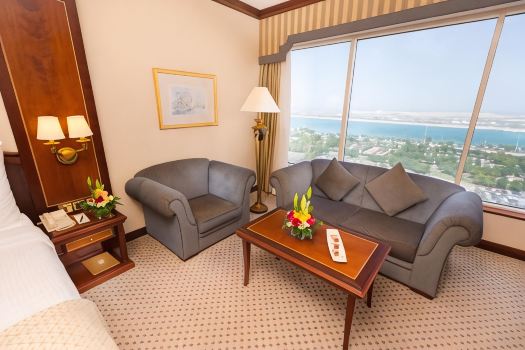
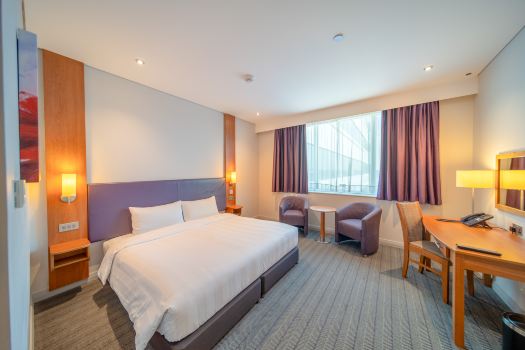
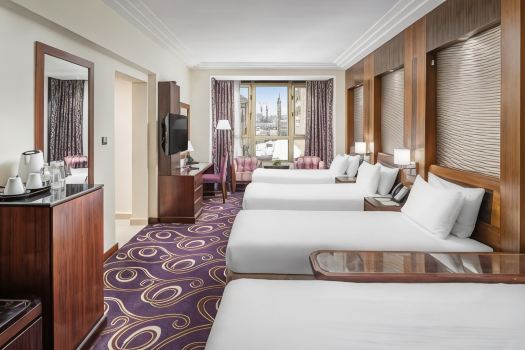
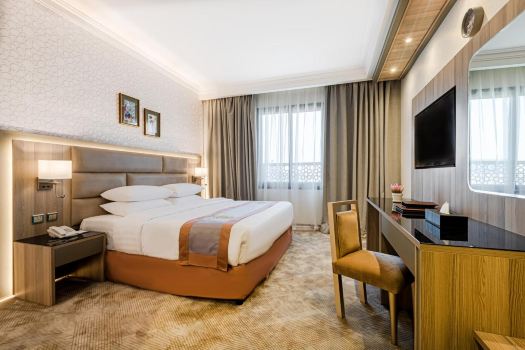
[10% Off] A Curated Selection of Hotels Worldwide




















Trending
-
Top flight destinations
-
Top flight routes
-
Most booked airlines
-
Popular eSIM/SIM card
-
Top Car Rental Picks
-
Popular Hotel Destinations
- Flights to Manila
- Flights to Mumbai
- Flights to Kochi
- Flights to Chennai
- Flights to Kozhikode
- Flights to Delhi
- Flights to Thiruvananthapuram
- Flights to Hyderabad
- Flights to Cairo
- Flights to Islamabad
- Flights to Jeddah
- Flights to Lahore
- Flights to London
- Flights to Dubai
- Flights to Mangalore
- Flights to Karachi
- Flights to Abu Dhabi
- Flights to Riyadh
- Flights to Colombo
- Flights to Amman
- Flights to Bengaluru
- Flights to Dhaka
- Flights to Tiruchirapalli
- Flights to Kathmandu
- Flights to Kannur
- Flights from Dubai to Manila
- Flights from Dubai to Mumbai
- Flights from Dubai to Kochi
- Flights from Dubai to Chennai
- Flights from Abu Dhabi to Kochi
- Flights from Dubai to Kozhikode
- Flights from Dubai to Delhi
- Flights from Abu Dhabi to Kozhikode
- Flights from Abu Dhabi to Thiruvananthapuram
- Flights from Dubai to Hyderabad
- Flights from Abu Dhabi to Cairo
- Flights from Dubai to Islamabad
- Flights from Dubai to Jeddah
- Flights from Dubai to Lahore
- Flights from Abu Dhabi to Mumbai
- Flights from Abu Dhabi to Chennai
- Flights from Dubai to London
- Flights from Dubai to Thiruvananthapuram
- Flights from Mumbai to Dubai
- Flights from Dubai to Cairo
- Flights from Kochi to Dubai
- Flights from Dubai to Mangalore
- Flights from Sharjah to Cairo
- Flights from Dubai to Karachi
- Flights from Kochi to Abu Dhabi
- Car rentals in Kōriyama Station
- Car rentals in Fukuma Station
- Car rentals in Dole
- Car rentals in Crystal Lake
- Car rentals in Yeongcheon-Yeog
- Europcar car rentals in Milan
- Car rentals in Mattoon
- Car rentals in Varese Station
- Le Bourget Airport Car rental
- Car rentals in Southland
- Car rentals in Katsutadai Station
- West Memphis Car rental
- Car rentals in Iasi
- Car rentals in East Croydon Station
- Car rentals in Woking railway station
- Car rentals in Renton
- Car rentals in Reading Station
- Car rentals in Roberval
- Car rentals in Smithers
- Car rentals in Oran Province
- NICONICO car rentals in Sendai
- Car rentals in Nishi-Miyakonojō Station
- Car rentals in Jamestown
- Car rentals in East Kilbride
- Car rentals in Kamegawa Station
- Columbus Car rental
- Car rentals in Kiev-Demievskij
- Car rentals in Ōsakajōkōen Station
- Thai Rent a Car car rentals in Khon Kaen
- Car rentals in Seosan
- Hotels in Dubai
- Hotels in Sharjah
- Hotels in Abu Dhabi
- Hotels in London
- Hotels in Riyadh
- Hotels in Jeddah
- Hotels in Cairo
- Hotels in Medina
- Hotels in Makkah
- Hotels in Paris
- Hotels in Milan
- Hotels in Bangkok
- Hotels in Istanbul
- Hotels in Manila
- Hotels in Mumbai
- Hotels in Karachi
- Hotels in Tokyo
- Hotels in New York
- Hotels in Rome